Field updates

Your team reports on WhatsApp. The plan updates itself

No new app, no logins, no training. Your project team simply replies on WhatsApp and OPTEAM's AI updates Primavera and your reports automatically.

Start free trial Talk to an expert
100% of field updates synced to P6 0 new apps for the field Live in days
Site team · Tower B
3 members · online
Slab L4 poured ✅ rebar complete
08:14 ✓✓
Concrete crew delayed — material
08:22 ✓✓
OPTEAM · EC1340 updated 52→65%
Message…
P6 synced
Inside OPTEAM

From chat to report automatically.

Build your project team. OPTEAM does the chasing, directly on the app they are most comfortable using: WhatsApp.
app.opteam.ai/projects/field-updates
OPTEAM WhatsApp field updates synced automatically to Primavera P6
رد من الموقع · 8:12 تقرير فوري للإدارة
Why it works

Bring the field into the plan without friction.

No app to install

Foremen reply on WhatsApp, the app they already use all day. Nothing new to learn, nothing to roll out.

Auto-synced to P6

Replies update progress and the Primavera schedule, no manual work, no spreadsheets.

On the record

Every update is captured with time, author and context, so you are ready for the progress report and the claim.

How it works

The right question, in seconds.

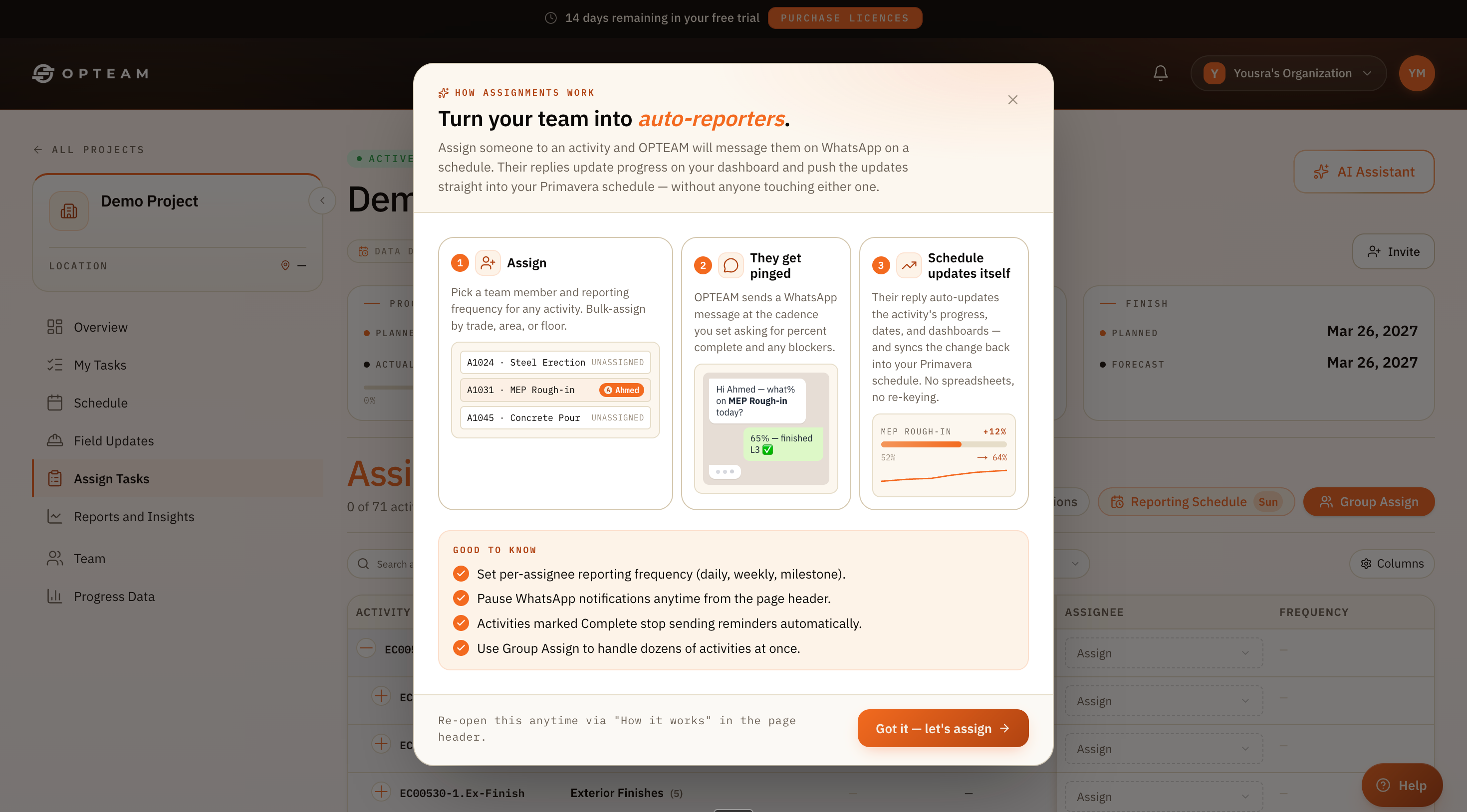
No app installs, no training. The field reports on the phone in their hand and the plan stays current.

Assign

Enter your project team into Opteam. They will be assigned to the project activities.

They get pinged

They reply with percent complete, blockers, a photo or docs.

Plan self-updates

Their reply updates progress, dates and dashboards, and syncs back into Primavera.

WhatsApp · Field updates
MEP ROUGH-INAUTO-SYNCED
52% → 65%+13% · P6
The difference

From chasing updates to receiving them.

Before OPTEAM
Weekly emails chasing each foreman for progress.
Manual updates into Primavera, days later.
Delays undocumented and discovered after they've already cost you.
With OPTEAM
Updates arrive on WhatsApp, on your cadence.
Progress syncs into P6 automatically, in minutes.
Slips flagged the moment they happen — with evidence.
By the numbers

Proof, not promises.

0
New apps for the field
10 sec
Per reply, processed
100%
Always available
Questions

Good to know.

Do my site teams need to install anything?
No. They reply on WhatsApp — the app they already use. There's nothing to download, no account to create and no training required.
How does the reply get into Primavera P6?
OPTEAM maps each WhatsApp thread to its activity. When a reply comes in, it updates percent complete, recalculates dates and pushes the change back into your P6 schedule automatically.
Can I control how often people are messaged?
Yes. Set a per-activity or per-person cadence — daily, weekly or at milestones — and pause notifications any time from the page header.
What about blockers and delay reasons?
OPTEAM asks for blockers alongside progress. Reasons and timestamps are captured with the update, so your delay evidence and claim file build themselves.
Does it work in Arabic?
Yes — your team can ask and report end to end in Arabic. See the Arabic support feature.