Subcontractors

Every subcontractor, on the same plan.

Track subcontractor progress against the plan, analyze the impact of delays and auto-generate notices and communications. All through one connected view.

Start free trial Talk to an expert
Per-trade assignmentsMulti-party progressAccountability by activity
Tower B · subcontractors
VERIFIED
1
MEP92%
2
Civil88%
3
Façade64%
↑ 18% behind claim
4
Fit-out40%
Field-verified
Inside OPTEAM

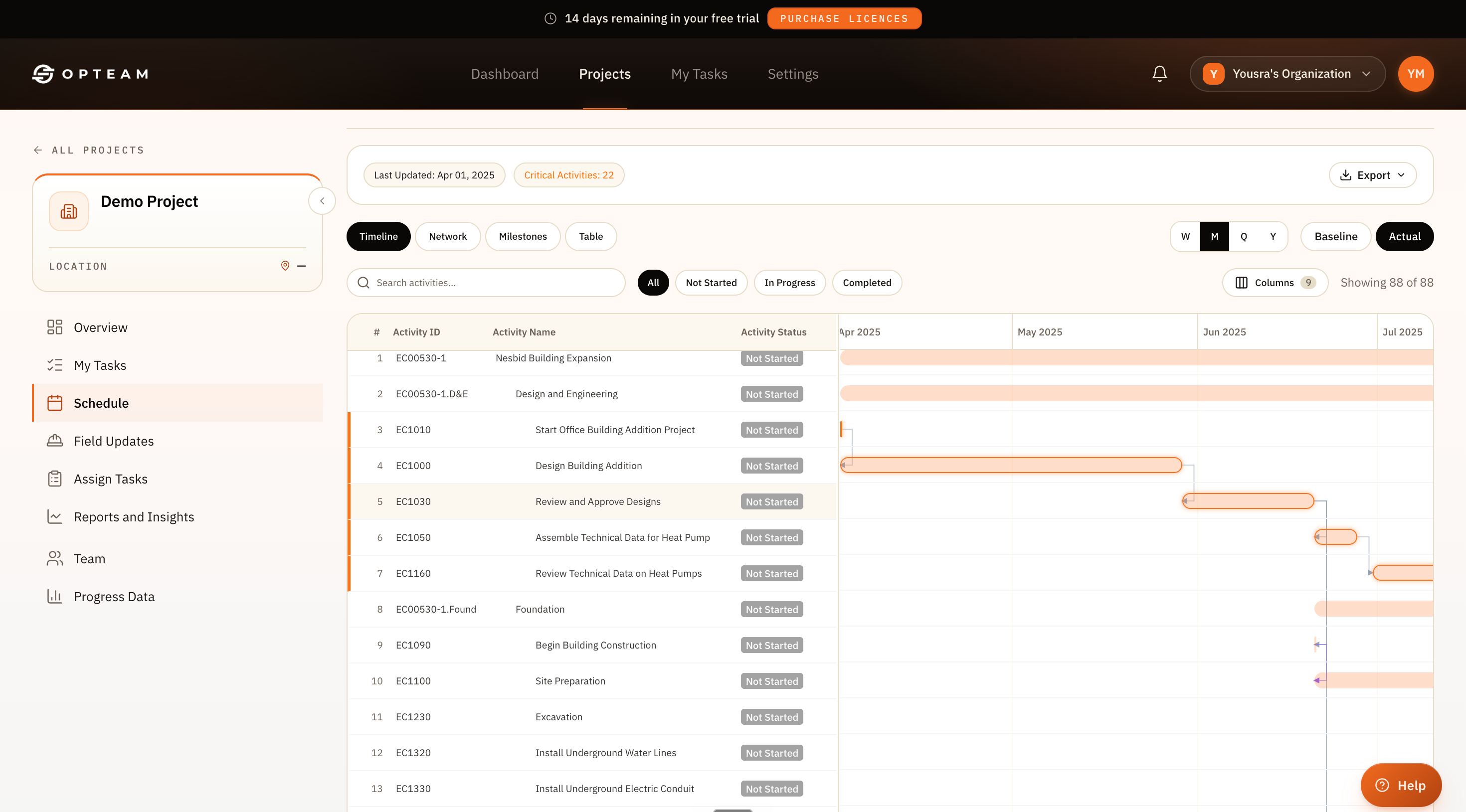
One timeline, every trade.

See each subcontractor’s activities on the critical path, who owns what, and which dates are slipping.
app.opteam.ai/projects/schedule
OPTEAM Gantt schedule timeline with activities across trades, critical-path items highlighted and dependencies shown
22 critical activities Owners assigned
Why it works

Coordination without the chase.

Upload weekly reports

Give OPTEAM your subcontractor progress updates to analyze and document progress.

Track every party

See progress per subcontractor against the plan, and who is dragging the critical path.

Built-in accountability

AI analyzes which party was responsible for delays against the plan, with full documented evidence from the site.

How it works

From a dozen schedules to one.

OPTEAM puts every stakeholder on the same plan and keeps each party reporting against it.

Upload

Send the weekly updates from the subcontractor to OPTEAM

Track

Progress flows back against the shared schedule automatically.

Analyze

See conflicts and slips across parties before they collide.

Trade coordination · live
ACTIVITIES ASSIGNEDALL TRADES
71across teams
CRITICAL ACTIVITIESWATCH
22on path
PARTIES REPORTINGLIVE
100%synced
The difference

From siloed stakeholders to one coordinated plan.

Before OPTEAM
Each subcontractor keeps their own version of the schedule.
Conflicts between trades found on site, not on paper.
No clear owner when an activity slips.
With OPTEAM
Every subcontractor against one shared schedule.
Cross-party conflicts surfaced before they collide.
A clear owner and record for every activity.
By the numbers

Proof, not promises.

71
Activities coordinated
22
Critical activities tracked
100%
Parties on one plan
0
Conflicting schedules
Questions

Good to know.

How do I track subcontractor progress?
You can simply upload the Primavera submissions by subcontractors into Opteam without changing anything.
Do subcontractors need accounts?
They report through WhatsApp on the cadence you set — no new app or login required for the field.
How are cross-party conflicts handled?
Because every trade is on the same schedule, OPTEAM surfaces overlapping or dependent activities before they collide on site.
Can I see each party’s progress?
Yes. Progress is tracked per subcontractor against the shared plan, including who is impacting the critical path.