Mobile & Field

The full control room, on any device.

Capture progress, blockers and photos from any phone on site — and watch it sync straight into the schedule. No desktop, no delay.

Start free trial Talk to an expert
Any phone, no installWorks offlineSyncs to P6 live
FIELD UPDATE
SPI
0.91
HEALTH
82
SCHEDULE
Approve update ✓
On any phone
Inside OPTEAM

Report from the field, instantly.

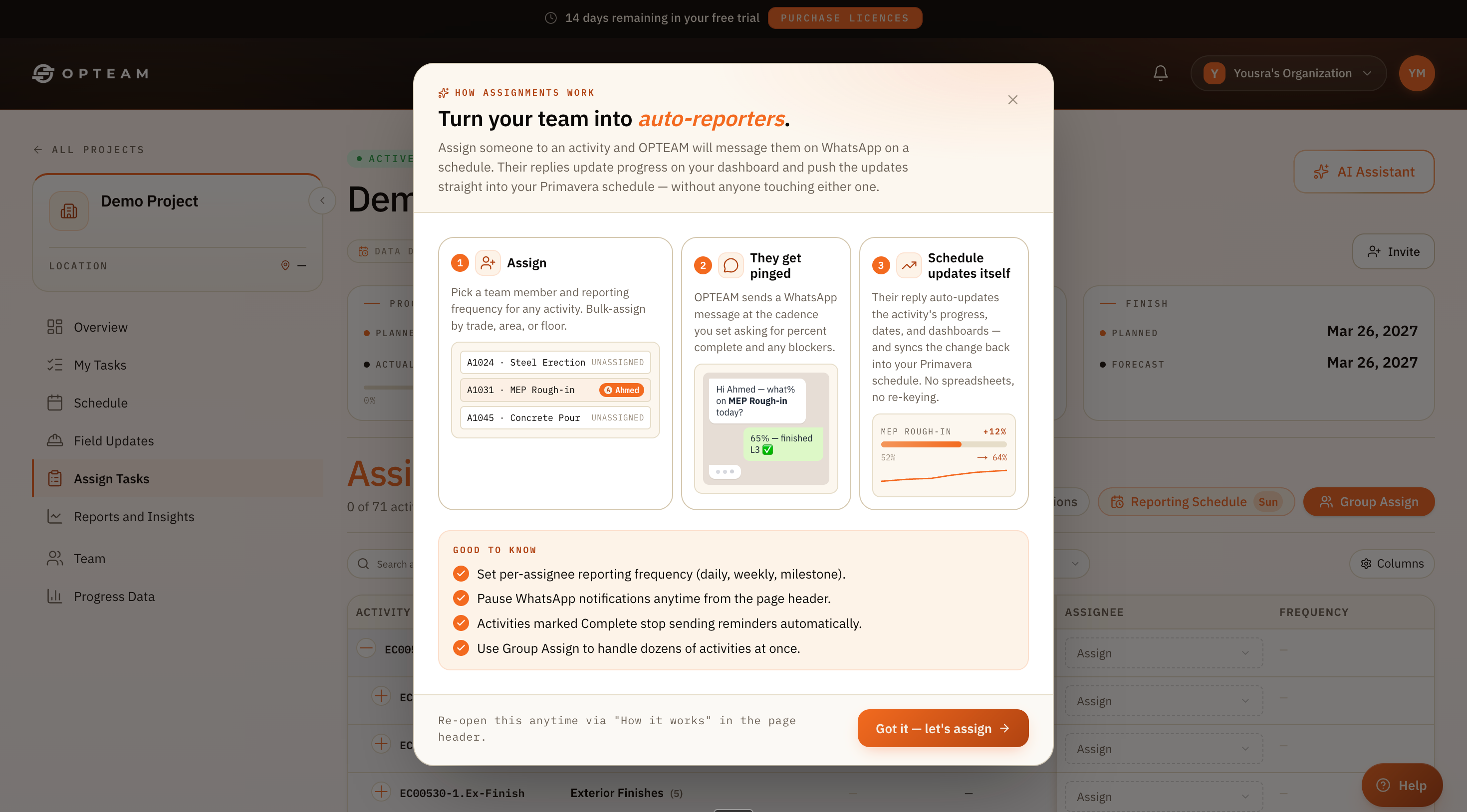
Your team answers a WhatsApp message from site — progress and blockers flow straight into the plan.
app.opteam.ai/projects/field-updates
OPTEAM field reporting flow showing a WhatsApp progress update from site syncing into the project schedule
Update from site · 8:12 Synced to P6
Why it works

Built for boots on the ground.

Any phone, no install

The field reports on WhatsApp from whatever device they already carry.

Real-time sync

Updates reach the schedule and dashboards in minutes, not at the next desk session.

Captured with context

Time, author and location travel with every update for the record.

How it works

From site to schedule in minutes.

No app rollout, no training — the field reports on the phone in their hand and the plan stays current.

Prompt

OPTEAM messages the right person on WhatsApp for an update.

Report

They reply with percent complete, blockers — even a photo.

Sync

It updates progress and the schedule automatically.

Field reporting · mobile
TIME TO REPORTFIELD
30sone reply
APPS TO INSTALLNONE
0WhatsApp only
SYNC TO PLANLIVE
100%automatic
The difference

From desk-bound updates to live from site.

Before OPTEAM
Progress entered back at the office, hours or days later.
Site teams locked out by clunky apps and logins.
Photos and blockers lost in chat threads.
With OPTEAM
Updates captured on site, in real time.
Anyone with a phone can report — no install.
Progress, blockers and photos synced to the plan.
By the numbers

Proof, not promises.

30s
To file a field update
0
Apps to install
100%
Synced to schedule
24/7
Always watching
Questions

Good to know.

Do site teams need a special app?
No. They report on WhatsApp from any phone — there is nothing to install and no login to manage.
Does it work with poor connectivity?
Updates send as a normal message, so they go through on the connection the field already relies on and sync when received.
Can they attach photos?
Yes. Photos and notes travel with the update and are kept with the activity record.
Where do the updates go?
Straight into the project — progress, dates and dashboards update, and changes sync back into Primavera P6.